Advanced Logic branches to its own endings
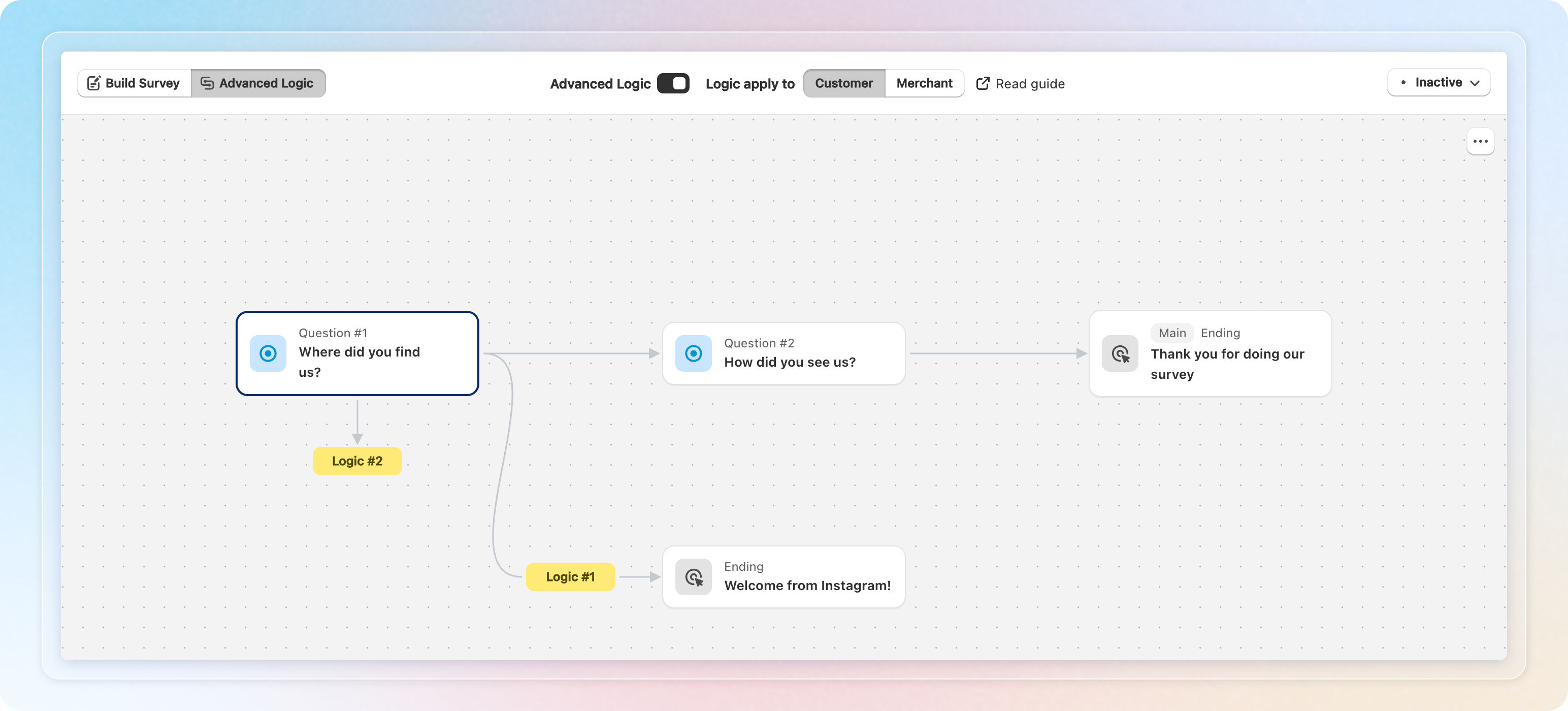
Advanced Logic now branches all the way to the finish. Each path can end on its own thank-you card instead of one shared card. Rating questions gained is greater than and is less than. The logic screen is now a canvas that draws the flow.
Advanced Logic runs on the Growth plan and higher. On a lower plan your rules stay saved but do not run.
What changed
Several endings per survey. The ENDINGS block at the bottom of the content tree on Build Survey holds one row per thank-you card. Click Add ending to add another. There is no limit. One card is always the main ending, and the row menu offers Set as main and Delete ending.
Rules choose the ending. An End survey action now has a Thank-you card (ending) list. Leave it on Default thank you for the main ending, or pick the card for that branch. The list also holds Create new thank-you card, so you can make one without leaving the rule.
Rating conditions. Number scale, Star rating, and Satisfaction questions accept is greater than and is less than. Both compare strictly, so is greater than 3 excludes 3. Two rules cover a 1 to 5 scale with no gap.
A canvas instead of a list. The default journey sits on the top lane and is drawn heavier. Every branching rule drops to its own numbered lane. A branch that rejoins the flow draws an arrow to that question instead of repeating the survey.
Problems are caught before you save. A chip in the toolbar counts issues and opens a panel where each line has a Fix → link. Conflicting rules, rules that can never run, and backward skips block the save. Missing values, missing destinations, and ratings off the scale also block the save. An ending nobody reaches is a warning, with a quick fix to attach or delete it.
Reporting by ending. Every response records where it finished. Surveys with two or more endings get an Ending filter on Responses and in Basic analytics. Exports offer Separate sheet per ending.
How to use: Add your endings on Build Survey. Then open Advanced Logic and point each End survey rule at its card.
Things to know
- Grouping questions into a section pauses Advanced Logic, because a section puts several questions on one screen. Break the section to bring your rules back.
- A rule with no card, or one whose card you delete later, falls back to the main ending. Shoppers never get stuck.
- The Main badge and the row menu appear once a survey has two endings.
- Downgrading to Free or Starter now deletes logic rules and collapses the survey to one ending. Starter used to be skipped, which left rules behind that no longer ran.
See How to branch your survey for the full walkthrough.