AI sorts short answers into categories
A new AI convert response page groups the answers of a short answer question by meaning. You review the categories and send them to your marketing apps.
Free on all plans, up to 2,000 categorized responses per store each calendar month. For most stores, sending to apps other than Shopify Flow needs the Growth plan or higher.
What changed
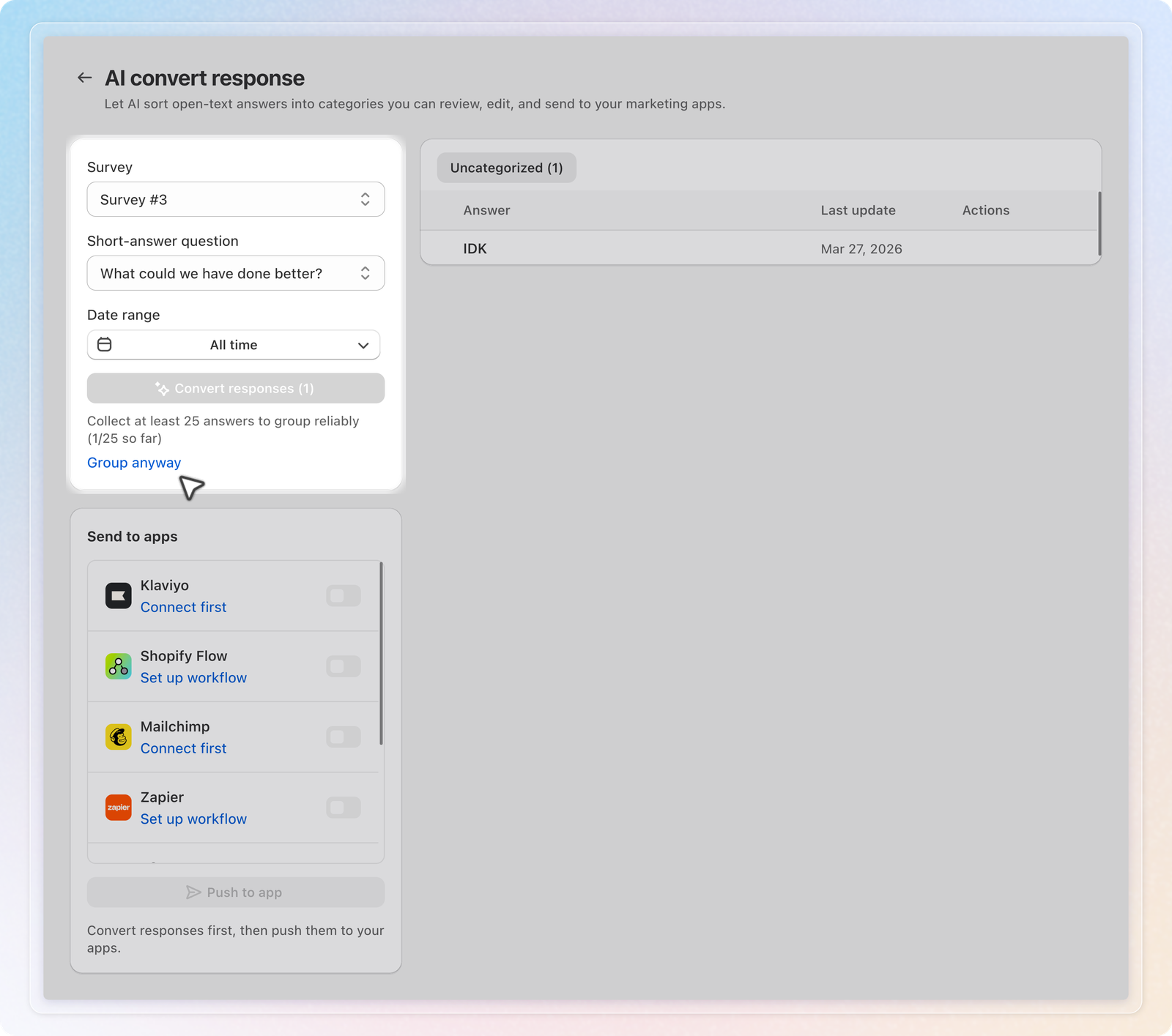
A new page under Responses. On the Survey tab of Responses, click AI convert response. In Survey analytics, the new Responses by category card opens the same page.
Convert in the background. Pick a survey and a Short-answer question, then click Convert responses. You can leave the page while it runs. Below 25 answers, the button is greyed out and Group anyway still runs it.
Review and fix. The table splits answers into Categorized and Uncategorized. Rename a category, or move one answer with Change to or Move to Other. Answers flagged Needs review or Couldn't process clear with Confirm category.
New answers later. Convert uncategorized responses sorts new answers into your current categories. Re-run from scratch rebuilds them after a confirmation.
Send to apps. Push categories to Klaviyo, Mailchimp, Omnisend, Shopify Flow, Zapier, n8n or Custom endpoint. Klaviyo and Omnisend get a profile property. Mailchimp gets a tag. Zapier, n8n, Custom endpoint and Shopify Flow get one event for each answer you push. Zapier and n8n need a workflow on the Response Categorized trigger first.
How to use: Open Responses, click AI convert response, pick your survey and short answer question, and click Convert responses.
See Group short answers into categories with AI for the full walkthrough.