Target surveys by payment method
Customer segments have a new Payment method condition. Show or send a survey only to customers who paid a certain way. For example, target COD buyers or leave out card payers.
Available on all plans. The segment limit of your plan stays the same. Free and Starter keep up to 3 groups. Growth and Premium have no limit. Stores on the older Growth pricing, installed before July 16, 2026, keep up to 4 groups.
What changed
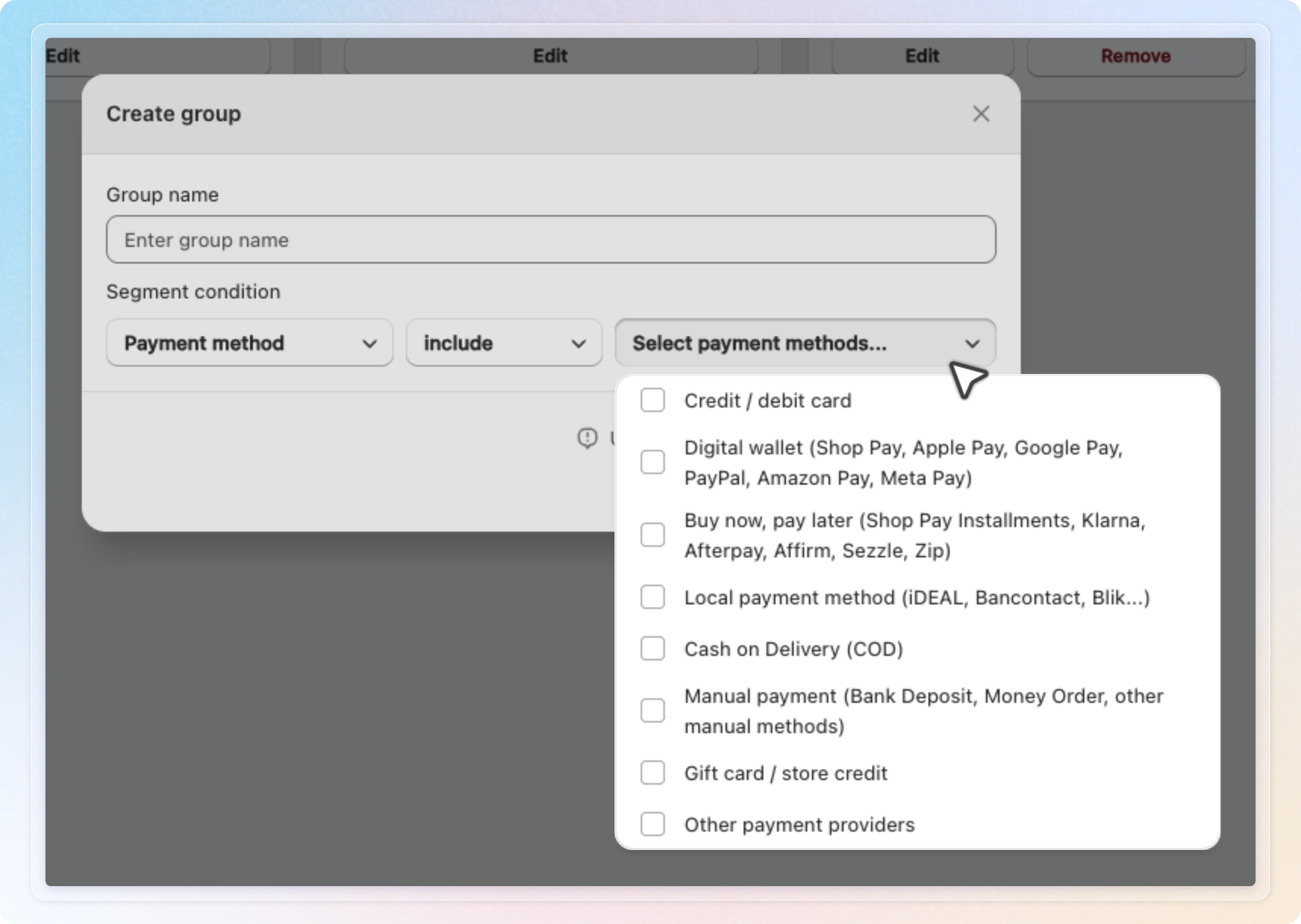
A new condition under Post purchase behavior. In Customer segments, click Create new group, then Select field and pick Payment method. You can also start in the survey editor. Open Channel, then Thank you page or Post-purchase email. Choose A segment of users, then click Create new group.
Eight payment groups. Choose include or not include, then tick one or more groups:
- Credit / debit card
- Digital wallet (Shop Pay, Apple Pay, Google Pay, PayPal, Amazon Pay, Meta Pay)
- Buy now, pay later (Shop Pay Installments, Klarna, Afterpay, Affirm, Sezzle, Zip)
- Local payment method (iDEAL, Bancontact, Blik...)
- Cash on Delivery (COD)
- Manual payment (Bank Deposit, Money Order, other manual methods)
- Gift card / store credit
- Other payment providers
Works where there is an order. You can use the group on the Thank you page and Post-purchase email. The Thank you page also covers the Order status page. Channels without an order, such as On-site survey and Survey form, do not list it.
How matching works. The app reads the transactions of the order on Shopify. A COD order counts as COD even before you collect the money. An order paid with several methods matches include when at least one method is in your list. With not include, the app skips the order when any method is in your list. When the app cannot read the method in time, the condition does not match. This applies to both include and not include. On the Thank you page it waits about three seconds for the order.
One thing to know about COD. The Cash on Delivery (COD) group only matches Shopify's own COD method. A manual method you named yourself lands in Manual payment or Other payment providers. To reach every pay on delivery order, tick those two groups too.
How to use: Open Customer segments, click Create new group, and enter a Group name. Select Payment method, choose include, tick Cash on Delivery (COD), and click Create. Then pick the group under A segment of users on your Thank you page survey, and click Save.
See Target customers by payment method for the full steps.