Multiple choice questions in Quiz
Quiz questions can now be set to Multiple choice, letting customers select more than one answer instead of only one. Previously, quiz questions only supported single choice.
Multiple choice questions only work with Per-answer mapping in Result Logic. If your quiz uses Path-based result logic, switching a question to Multiple choice prompts you to switch to Per-answer mapping. Your existing paths are kept, and you can switch back anytime. Multiple choice is available on all plans.
How to use
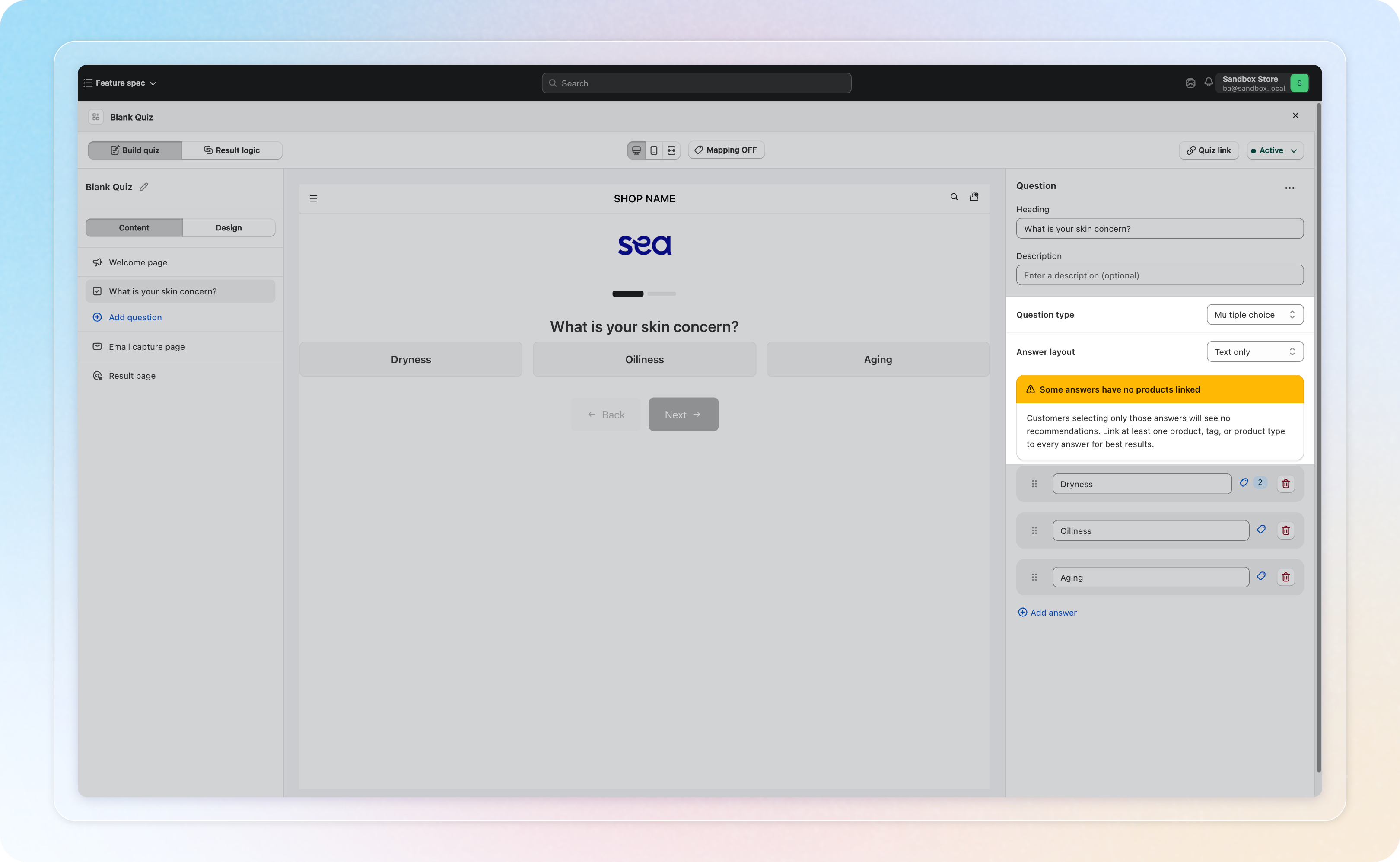
Open a quiz and select a question in the left panel. Change Question type from Single choice to Multiple choice in the right-side panel.
See How to Create a Product Recommendation Quiz for the full walkthrough.
Things to know
- Switching to Multiple choice changes how customer answers are sent to integrations like Zapier or n8n. For Klaviyo, ActiveCampaign, and Mailchimp, selected answers are joined into one value separated by commas. Review your automations after making the change.
- In Per-answer mapping, link at least one product, tag, or product type to every answer. Answers with nothing linked show a warning, since customers who only pick those answers get no recommendations.
- On the storefront, recommendations combine every selected answer, not just the first one.