AI picks quiz products for each shopper
Quizzes have a fourth result logic method, AI matching. You describe which products suit whom, and AI picks products for each shopper.
AI matching is in Beta and needs the Growth plan or higher. On a lower plan, you can view its settings, but you cannot edit, test, or turn it on.
What changed
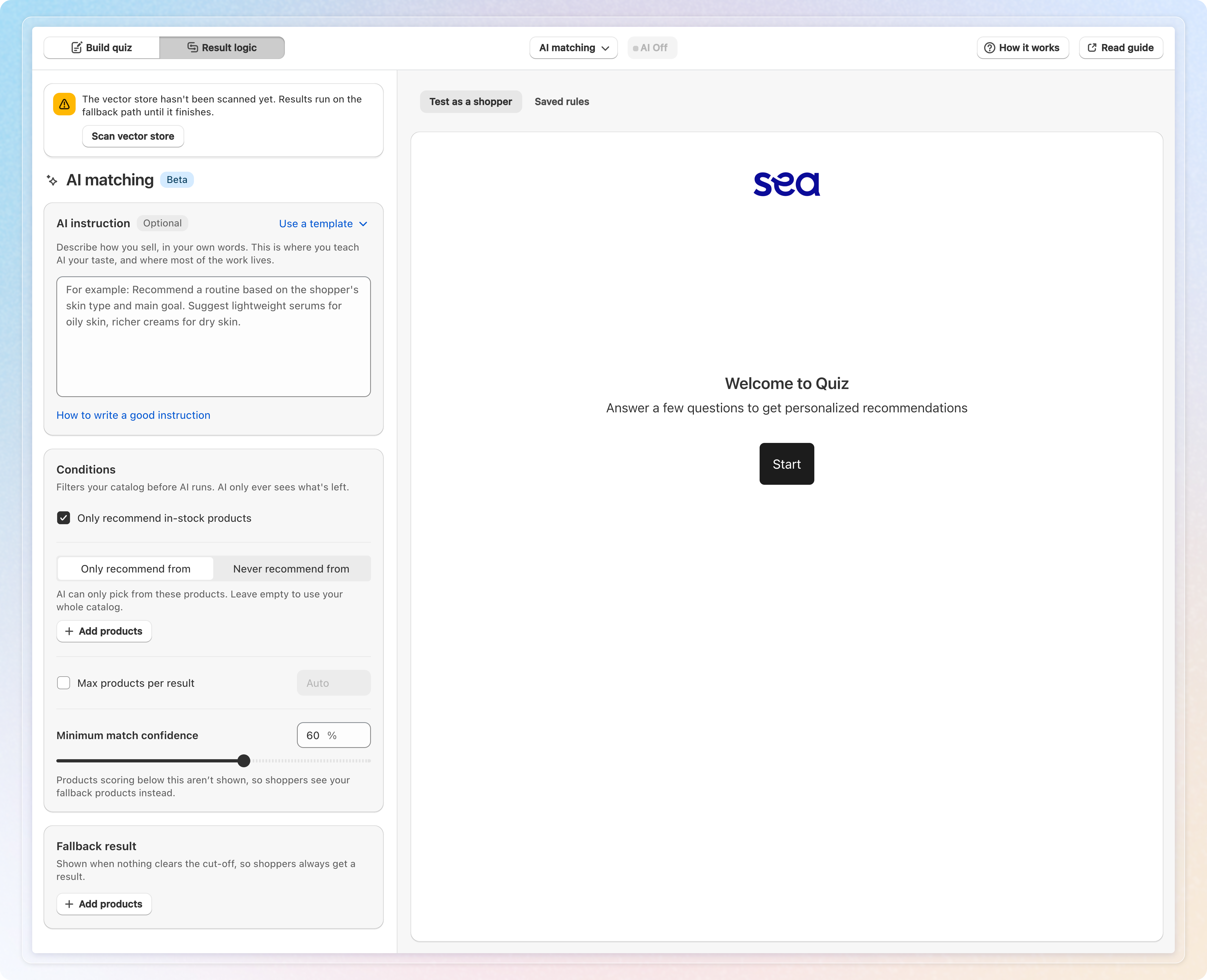
A new method in Result logic. Open a quiz, click Result logic, then pick AI matching from the method button in the top bar.
One instruction instead of mapping. Write how you sell in the AI instruction box, or start from one of six templates under Use a template.
Conditions before AI runs. Leave out products that are out of stock. Limit AI with Only recommend from, or block items with Never recommend from. Set Max products per result and a Minimum match confidence cutoff.
A fallback that always answers. Shoppers get your Fallback result when no product clears the cutoff. You need at least one fallback product to save.
Test as a shopper. Take your own quiz on the Test as a shopper tab. Each product shows a match %, with Why this product? on hover. Run again tries other answers without retaking the quiz.
Correct with Pin and Exclude. A correction can save a rule for one answer combination, or add a sentence to your instruction. It can also put a product on the Never recommend from list. Rules live on the Saved rules tab, where Test this rule replays them.
Go live when ready. The AI Off toggle beside the method button unlocks after one test where AI picked products. You also need a fallback product. Switch it to AI Live, then click Save.
Tokens. A shopper costs 10 tokens when AI makes a new match. Answers AI matched in the last 7 days reuse the saved result for free. AI matching shares its tokens with AI Analytics. When tokens run out, new answer combinations get your fallback products.
On your store. Shoppers see a short "Matching products to your answers…" screen, then the products AI picked.
How to use: Choose AI matching in Result logic, add fallback products, test as a shopper, turn on AI Live and click Save.
See Recommend products with AI matching for the full walkthrough.