See Which Marketing Channels Bring Your Best Customers
Marketing Attribution connects a survey question, like "How did you hear about us?", to your Shopify orders. See revenue, lifetime value, and repeat purchase rate by channel, not just by ad platform.
Marketing Attribution is available on the Growth plan and above. Free-forever stores can request a free unlock from support.
Prerequisites
- A survey with at least one Single choice question asking customers where they heard about you
- Orders coming in from your store, so there's data to attribute
Steps
Step 1: Open Marketing Attribution
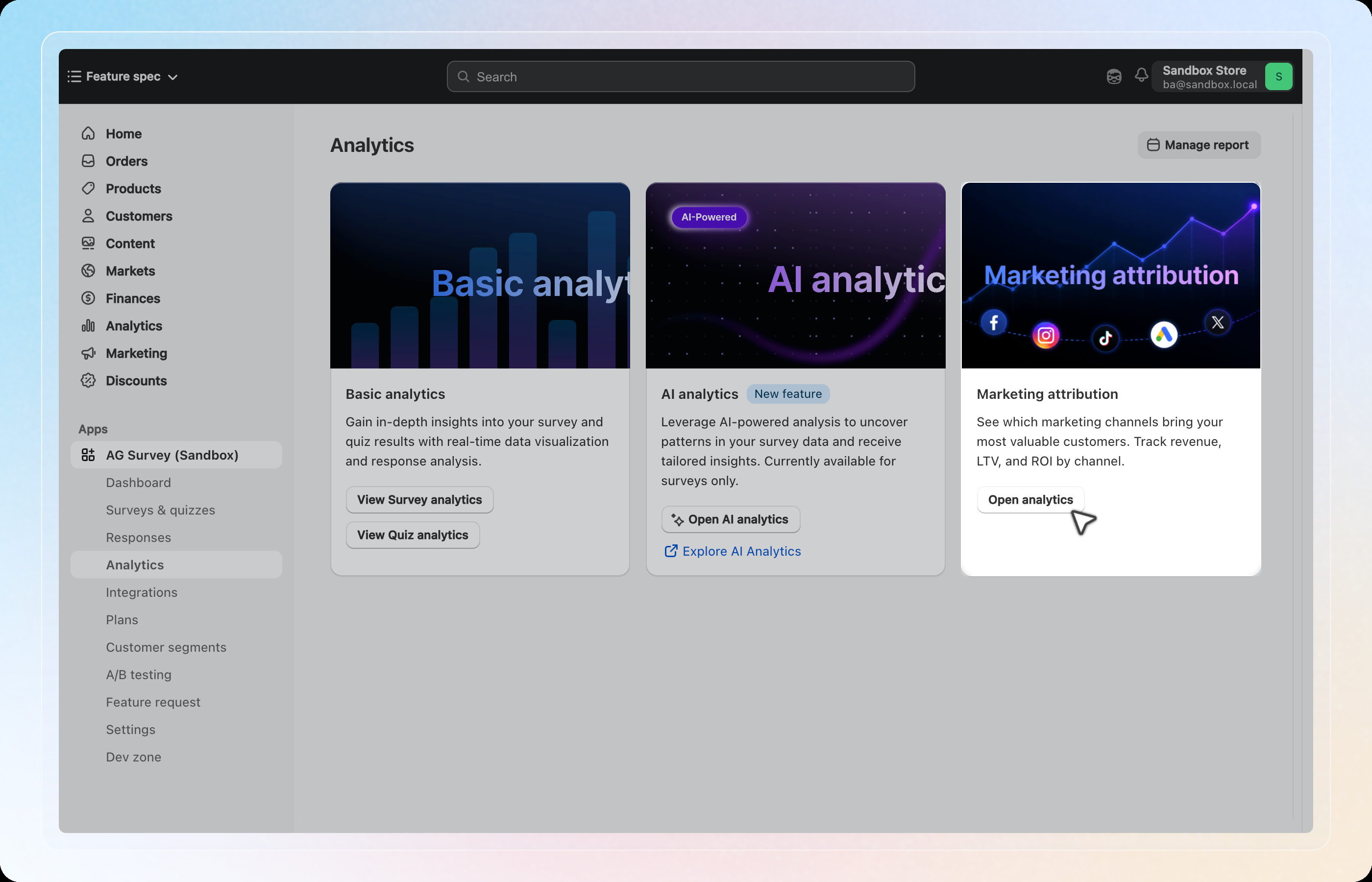
From the SEA Survey dashboard, click Analytics, then click Open analytics on the Marketing attribution card.
Step 2: Track a question
Marketing Attribution reads answers from one single-choice question at a time. Select the survey, then click the Question chip. Pick the question that asks customers where they heard about you.
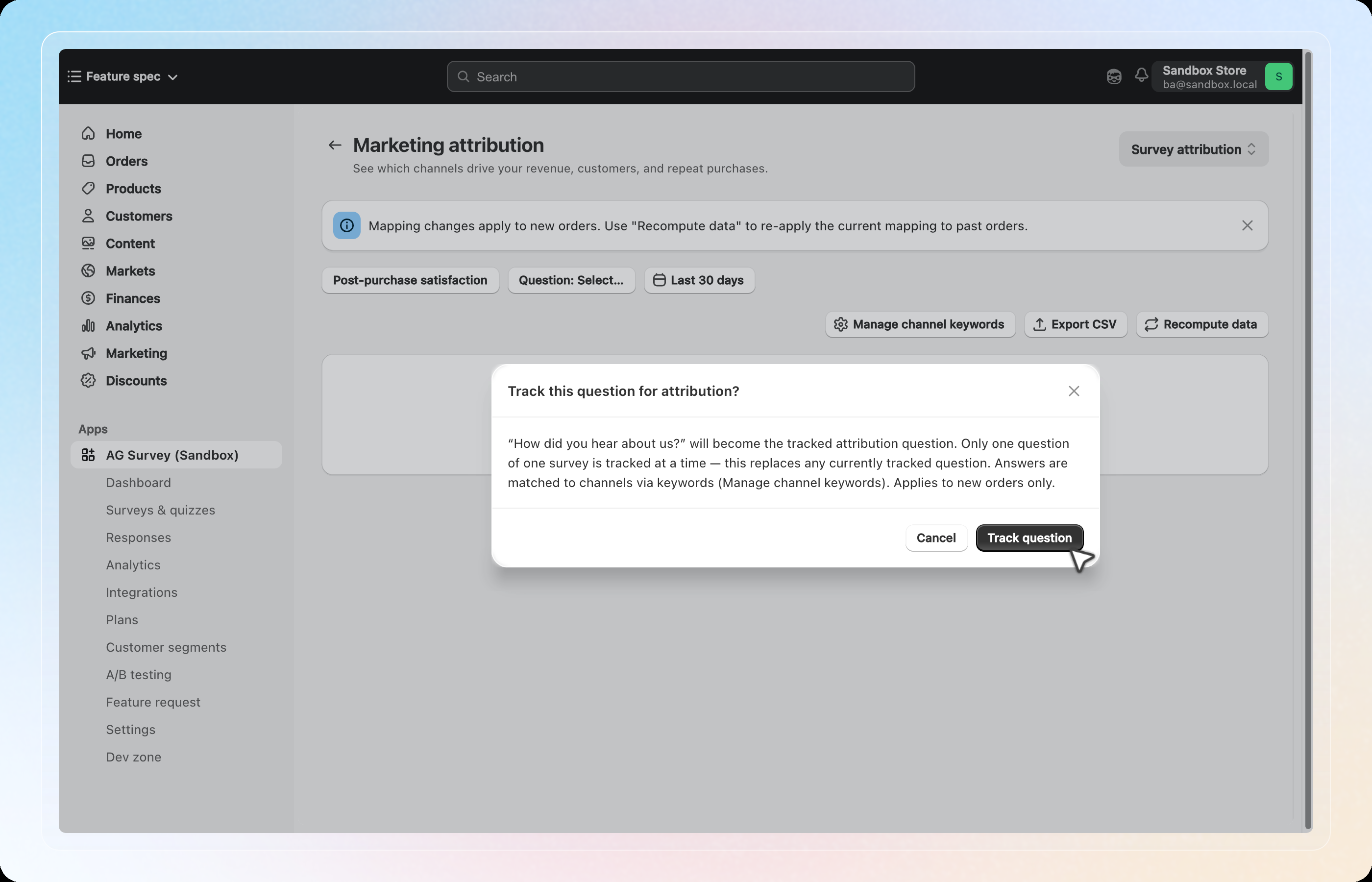
Click Track question to confirm. Only one question, on one survey, is tracked at a time. Tracking a new question replaces the previous one, and this only applies to new orders going forward.
Step 3: Map answers to channels
Customer answers (e.g. "Instagram", "A friend told me") are matched to channels using keywords. Click Manage channel keywords to review or add keywords for each channel (Facebook, Instagram, Google, Email, and so on).
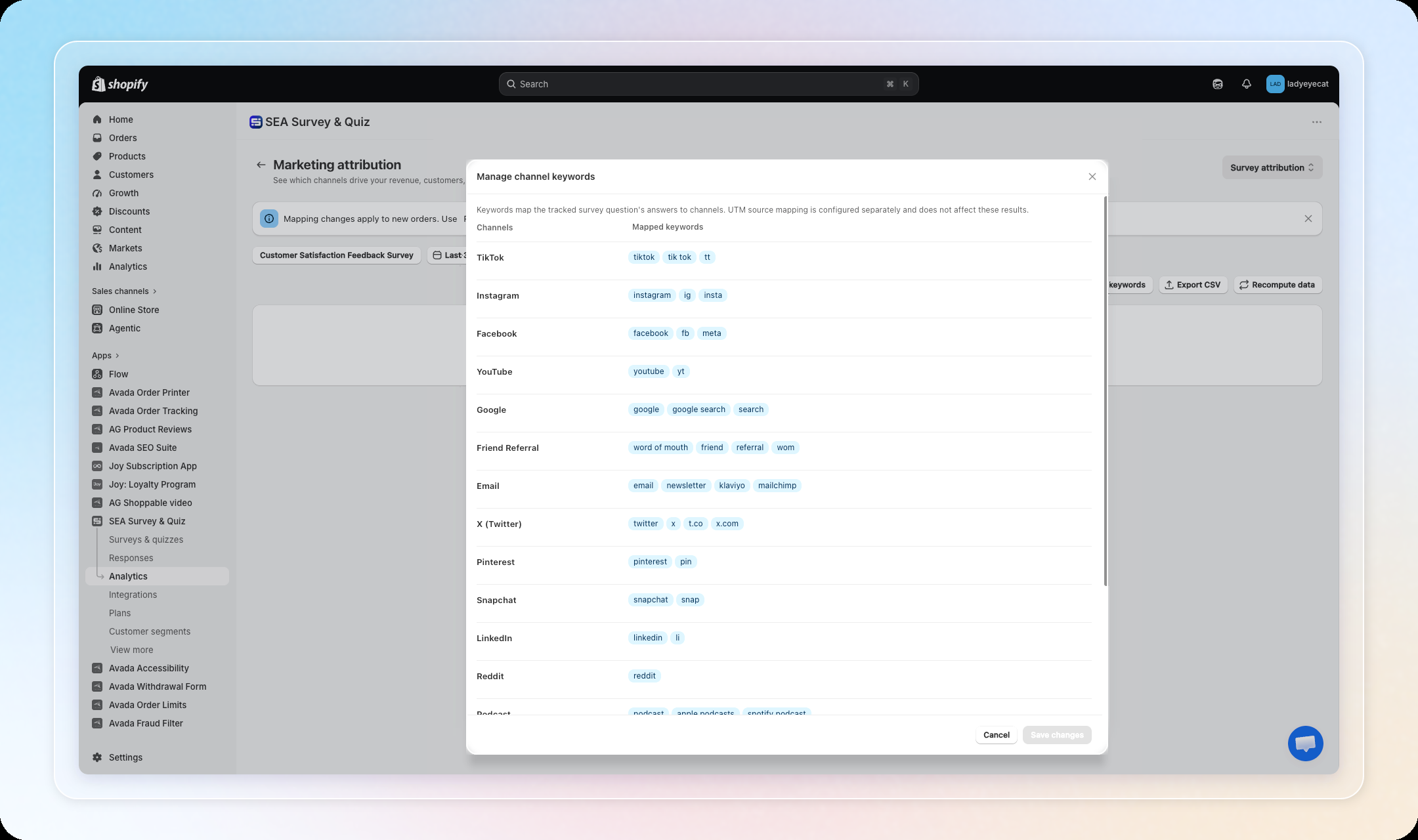
Keyword matching ignores capitalization and accents, so answers like Youtube, youtube, or YOUTUBE all match the same channel.
Step 4: Switch to UTM attribution (optional)
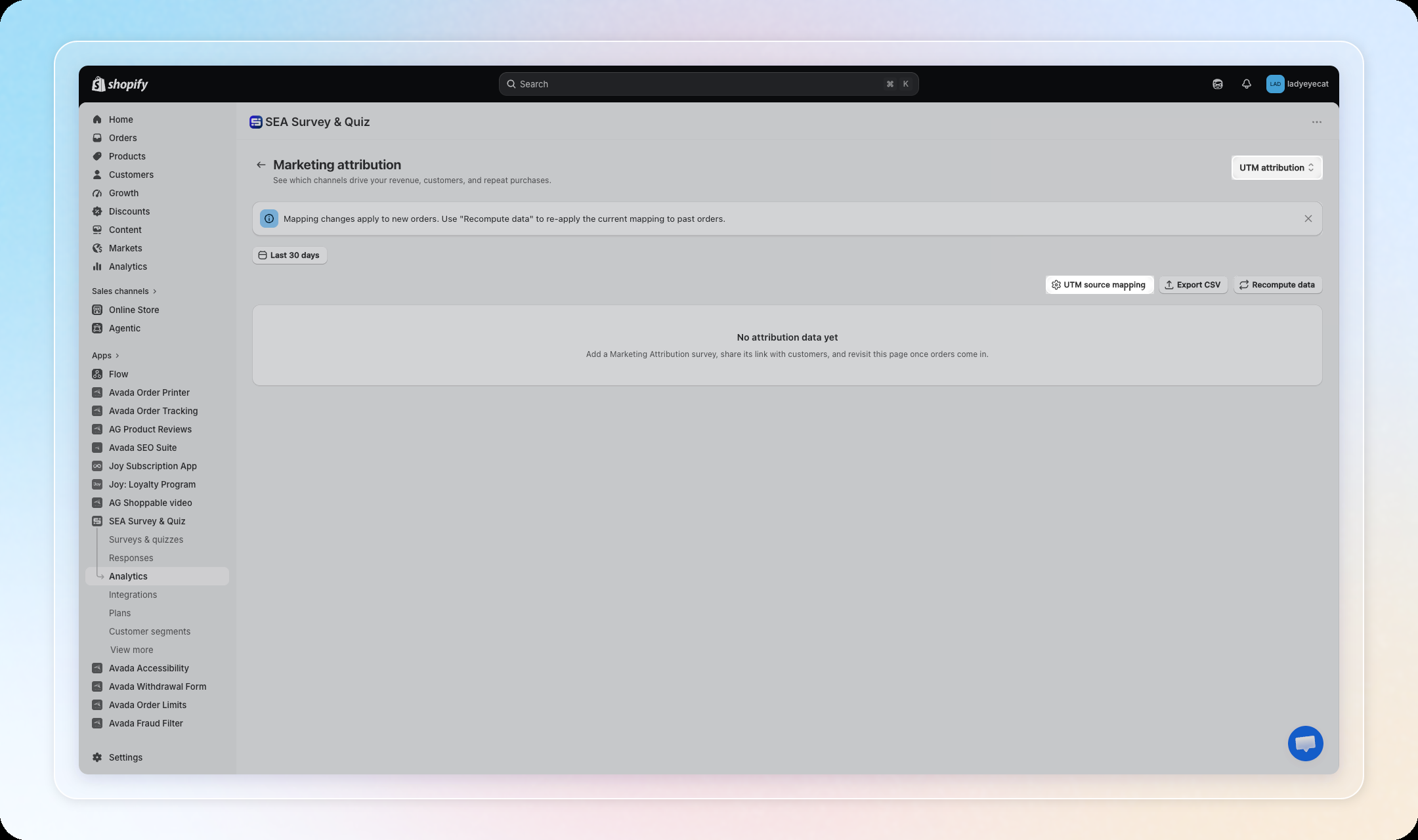
Use the Survey attribution / UTM attribution switcher in the top right to see a shop-wide view based on utm_source / utm_medium instead of survey answers. This doesn't require a tracked question. Click UTM source mapping to map your own UTM values to channels.
Step 5: Read the results
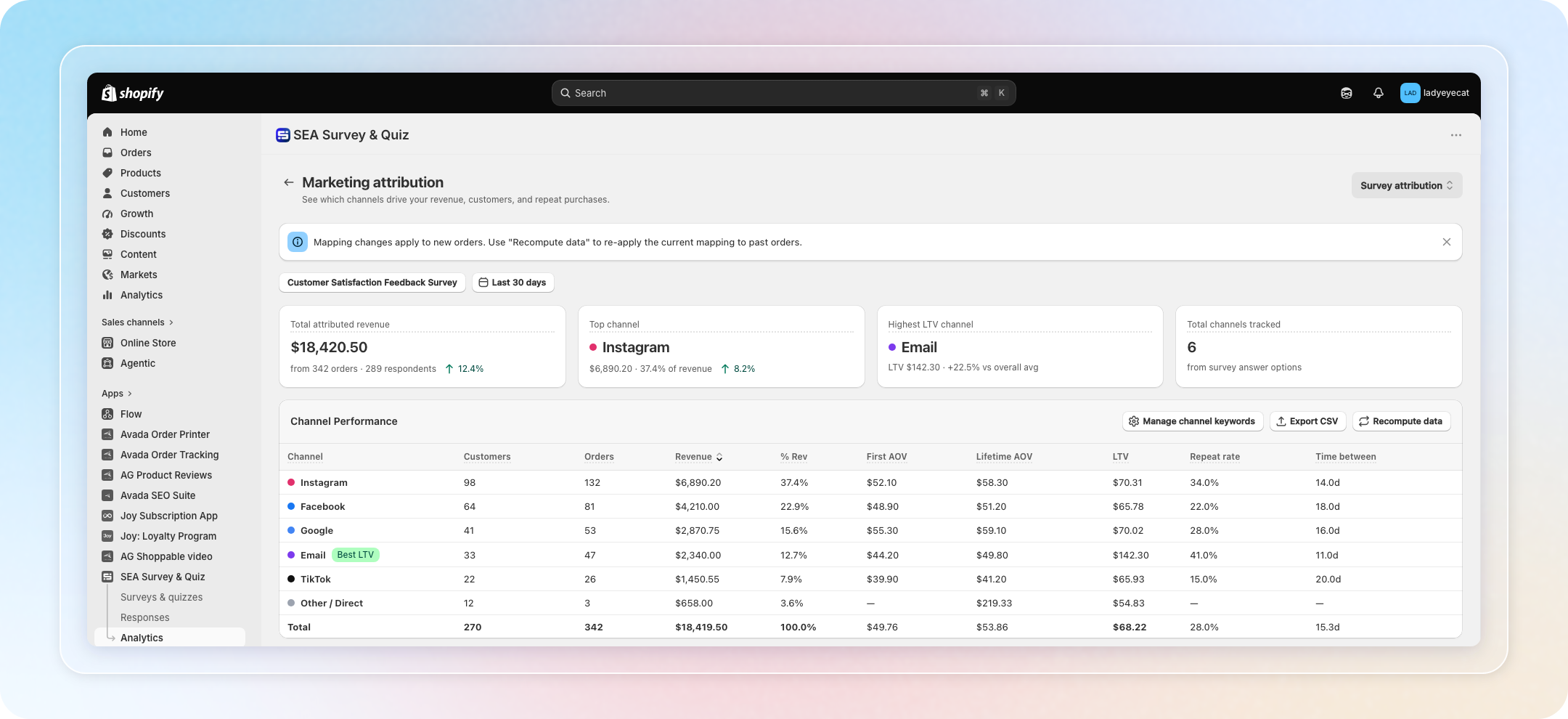
Once orders come in, the dashboard shows:
- KPIs: Total attributed revenue, Top channel, Highest LTV channel, Total channels tracked
- Channel performance table: Customers, Orders, Revenue, % Rev, First AOV, Lifetime AOV, LTV, Repeat rate, Time between
- Revenue by channel over time: a line chart of attributed revenue per channel across the selected date range
- LTV by channel: a bar chart comparing lifetime value across channels
- First AOV vs Lifetime AOV: a bar chart comparing each channel's first order value against its lifetime average order value
- Cohort LTV Heatmap: revenue per customer by the month they were first attributed
Note: Responses or UTM values that do not match a channel are grouped under Other / Direct in the table below.
Tips
- Mapping changes only apply going forward. If you edit channel keywords or UTM mapping, click Recompute data to re-apply the new mapping to past orders too.
- Metrics are scoped to orders captured by attribution events, not all Shopify orders, so LTV and repeat rate reflect survey-linked orders only.
- Use Export CSV to pull the channel performance table for use outside the app.